
Ecommerce SEO is the work of improving an online store so search engines can discover its pages and shoppers can find relevant products through unpaid search results. It includes product and category content, internal links, technical fixes, and accurate product information.
Imagine a store that sells desk lamps. Someone searching for “adjustable desk lamps” may want a selection to compare. Someone searching for a specific lamp model may want its product page. Someone researching lighting for a small workspace may need a buying guide.
Ecommerce SEO connects those searches with suitable pages. It also addresses problems that prevent search engines from reaching or understanding the store.
You don't pay a search engine for each organic click, but the work still costs time or money. Appearing in search also doesn't guarantee a purchase. The product, price, and buying experience still have to meet the shopper's needs.
How ecommerce SEO differs from other website SEO
An online store follows the same basic SEO principles as other websites. The difference is the catalog and how often it changes.
A store may have hundreds of products sharing the same page template. Filters can generate more URLs, while sizes and colors create product variants. Stock changes, products disappear, and new collections need links from elsewhere on the site.
A mistake in a shared template can affect many pages at once. If every product title omits the model name, editing a few descriptions won't solve the wider problem.
The work also extends beyond written content. Shoppers need accurate prices, availability, delivery information, and enough detail to choose a product. SEO planning has to account for how the store maintains that information.
Match each search to the right store page
Start with what the person wants to find. Choosing a keyword before deciding which page can satisfy it often leads to the wrong content.
For the hypothetical lighting store, an initial page map might look like this.
Example search | Likely suitable page | What the visitor needs |
|---|---|---|
adjustable desk lamps | Category or collection | A relevant selection with useful ways to compare |
rechargeable desk lamps | Subcategory or collection | Products that meet that specific requirement |
model X desk lamp | Product page | Details about the exact model, price, and availability |
how to light a small home office | Buying guide | Advice about placement and choosing suitable lighting |
These are starting assumptions. Check the actual results for each target market before deciding. Some searches return a mixture of stores and guides.
Understanding search intent helps you decide both the page type and the information it needs. A broad product search doesn't automatically need a long article.
Avoid making a blog post, category, and product page all target the same broad phrase without a clear reason. Give each page a useful purpose.
What ecommerce SEO involves
Research searches your catalog can satisfy
Build your keyword research around the products you sell and the ways shoppers describe them.
Product names, materials, dimensions, compatibility, and intended uses can all provide useful starting points. Your store's internal search terms and customer questions may reveal wording that your catalog doesn't currently use.
Google Search Console can show queries already bringing visibility to your site. Keyword research tools can help expand the list, but a phrase is only useful if you have a suitable product or can answer the question properly.
Imagine a store that sells decorative indoor lamps. Targeting “waterproof outdoor lighting” would be a poor choice if none of its products are designed for outdoor use, regardless of the keyword's search volume.
Make category pages useful for choosing
A category page should make it easy to understand the selection and reach relevant products.
Its title and main heading should describe the product group clearly. A short introduction can explain what belongs in the category or identify a useful distinction between products.
Add information where it helps someone choose. A lighting category might explain differences in mounting options or power sources. It doesn't need several paragraphs explaining what a lamp is.
Keep the products easy to reach. Long generic copy above the grid can make shopping harder without answering anything useful.
Give product pages enough detail to support a purchase
A product page needs to explain the specific item.
For a desk lamp, that could mean its dimensions, power source, brightness controls, included accessories, and warranty terms. The relevant details will differ for clothing, furniture, or replacement parts.
Imagine a shopper trying to confirm whether a lamp fits a narrow shelf. A description full of phrases such as “beautiful design” gives them less help than clear measurements and a useful photograph.
Write descriptive titles and headings. Use product images that show relevant details, and describe their content accurately in alt text where appropriate.
The on-page SEO checklist covers page elements in more detail. For a store, apply those checks to the product and category templates as well as individual pages.
Connect categories and products with crawlable links
Your navigation should let visitors reach products by browsing through the store.
Google recommends linking from menus to categories, from categories to subcategories, and onward to product pages. Products available only through an internal search box can be harder to discover because Googlebot generally doesn't submit searches into those boxes.
Relevant buying guides can also link to categories or products they discuss. The link should help the reader act on the explanation.
Check pagination and load-more controls, too. A shopper being able to reveal another set of products doesn't establish that a crawler can follow links to them.
Check crawling, indexing, and generated URLs
Technical SEO addresses how search engines access and process your store.
Check whether important pages are accessible, whether they contain accidental indexing restrictions, and whether canonical tags identify the intended URLs. A canonical tag indicates a preferred version among duplicate or similar pages.
Filters need particular attention. Combinations of size, color, price, and other attributes can create large numbers of URLs. Google documents how excessive filter URLs can consume crawling resources and slow the discovery of useful pages.
That doesn't mean every filtered page should receive the same treatment. Decide which filtered selections deserve search visibility, then choose a technical approach suited to the platform. Applying a blanket rule without checking the URLs can affect pages you wanted people to find.
Stock changes also need a consistent process. A temporary shortage is different from a permanently discontinued item. Check the expected return date, remaining usefulness of the page, and relevance of any replacement before changing or removing its URL.
Keep product data accurate
Product structured data and Google Merchant Center help communicate product information to Google.
Structured data is code on your pages that describes details such as price and availability. Merchant Center lets you provide product information directly through a separate service. Google recommends using both where appropriate, but neither is required simply to appear in ordinary search results.
Product markup can make a page eligible for enhanced appearances that display additional information. It doesn't guarantee that Google will show those features.
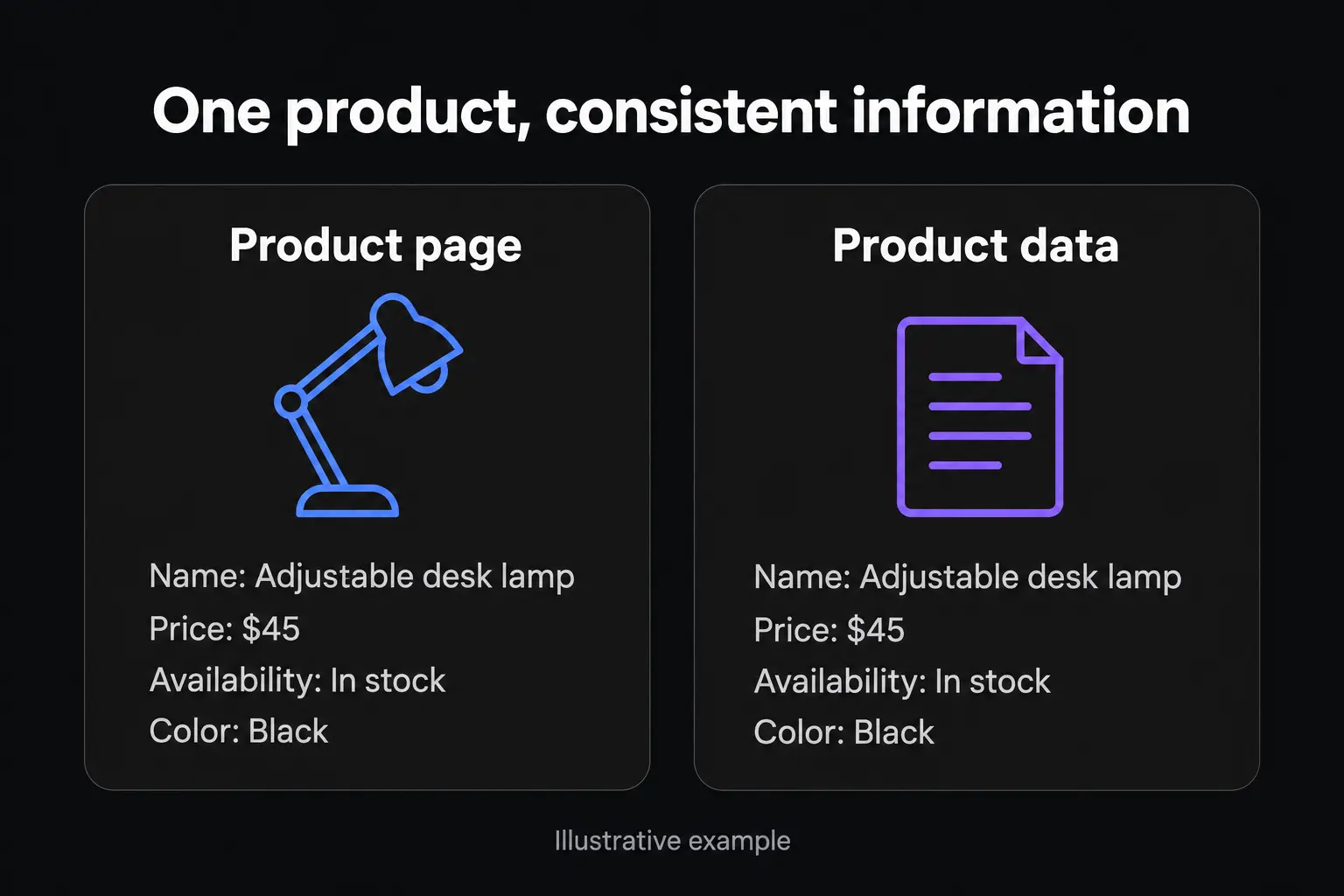
Keep the visible page, structured data, and submitted product information consistent. A price update shouldn't leave an older price elsewhere in the store's data.
Support the store with useful content and relevant links
Buying guides can answer questions that don't fit comfortably on a product or category page. Useful subjects might include compatibility, choosing a size or caring for a material.
Choose topics connected to products you actually sell. Publishing unrelated articles just to increase traffic can leave you with visitors who have little reason to shop.
Links from other websites are also part of SEO. Relevant opportunities may include supplier directories, genuine editorial coverage, or resources that recommend your products. Avoid buying links intended to manipulate rankings.
Where to start on your store
I would begin with a small group of commercially important pages and identify the main problem before expanding the work.
Check important URLs in Google Search Console. Use URL Inspection to understand the reported indexing status and investigate exclusions. A live test can help check current accessibility, but it doesn't guarantee indexing.
Compare the target searches with the pages you're offering. If the results mainly show product selections, check whether your category is a better fit than an individual product or article.
Review the information a shopper needs. Look for missing specifications, unclear availability, or unanswered delivery questions. Check shared templates for repeated omissions.
Trace the links to those pages. Confirm that useful categories and products are reachable through the store's navigation and relevant internal links.
Record the changes and measure what follows. Note when you changed a template, revised content, or repaired a technical issue. Keep enough context to interpret later performance.
If products cannot be accessed, writing more descriptions won't address that obstacle. If pages are accessible but poorly matched to the searches you want, the next task is different.
The scope of ecommerce SEO services should reflect those findings. A store with a small, stable catalog needs a different implementation plan from one generating thousands of changing URLs.
How to measure ecommerce SEO
Measure search visibility alongside what visitors do after they arrive.
In Google Search Console, review clicks and impressions for important product and category pages. Compare queries as well as pages. Growth in searches for your brand means something different from growth in product searches by people who may not know the store.
Treat average position as context rather than a complete performance score. A sitewide average can hide differences between categories and changes in the mix of queries.
In Google Analytics 4, review organic search traffic alongside recorded purchases and revenue. First, confirm that ecommerce tracking works. Recommended events such as view_item, add_to_cart, begin_checkout and purchase require implementation or a working platform integration. Installing basic analytics alone doesn't ensure those events are recorded.
Interpret changes against stock availability, promotions and seasonal demand. If organic traffic rises while sales stay flat, examine which pages gained visitors and whether those visitors could find a suitable product and complete checkout.
Frequently asked questions
Ecommerce SEO applies SEO principles to an online catalog. It requires particular attention to product and category pages, variants, filters and changing availability. General website SEO may involve fewer page types and less frequent inventory-related change.
There is no fixed timeline. Google says some changes can affect search results within hours, while others may take several months. The work required, competition and the store's starting position all affect what you can reasonably expect.
Both matter, but they answer different searches. Categories help people browse a selection, while product pages explain individual items. Prioritize based on relevant search demand, existing performance and what the store can sell. There is no universal rule that every store should optimize categories first.
SEO can help an online store reach people searching for its products or related information. Its value depends on reaching suitable customers and giving them a useful buying experience. More organic visits alone don't establish that the work is profitable.
Ready to fix what's actually holding your site back?
I'll show you exactly what's costing you rankings and traffic, then build the plan to fix it.
Get a Free Strategy Call